# Magento 2 的命令行接口
**URL:** https://forum.magentochina.org/t/magento-2-%E7%9A%84%E5%91%BD%E4%BB%A4%E8%A1%8C%E6%8E%A5%E5%8F%A3/773
**Category:** Magento 2.X
**Tags:** 教程, magento2, 后端
**Created:** [2020 年7 月 21 日 07:18 UTC](https://forum.magentochina.org/t/magento-2-%E7%9A%84%E5%91%BD%E4%BB%A4%E8%A1%8C%E6%8E%A5%E5%8F%A3/773 "2020-07-21T07:18:35Z")
**Posts on this page:** 1
**Page:** 1
### 作者:  [@Vicky](https://forum.magentochina.org/u/Vicky)
#### 发布日期: [2020 年7 月 21 日 07:18 UTC](https://forum.magentochina.org/t/magento-2-%E7%9A%84%E5%91%BD%E4%BB%A4%E8%A1%8C%E6%8E%A5%E5%8F%A3/773/1 "2020-07-21T07:18:35Z")
在这篇教程中,我们将会讨论 Magento 2 的命令行接口(CLI),如你所知,在 Magento 2 中,开发人员在 bin/magento 里添加了许多命令,虽然可能很难掌握,但我会在教程中对细节进行详细的说明。
当你在终端中运行命令时:
```auto
php bin/magento
```
或者
```auto
bin/magento
```
可以得到 Magento 2 命令列表,包括了常用的命令
```auto
Usage:
command [options] [arguments]
Options:
--help (-h) Display this help message
--quiet (-q) Do not output any message
--verbose (-v|vv|vvv) Increase the verbosity of messages: 1 for normal output, 2 for more verbose output and 3 for debug
--version (-V) Display this application version
--ansi Force ANSI output
--no-ansi Disable ANSI output
--no-interaction (-n) Do not ask any interactive question
Available commands:
help Displays help for a command
list Lists commands
admin
admin:user:create Creates an administrator
admin:user:unlock Unlock Admin Account
cache
cache:clean Cleans cache type(s)
cache:disable Disables cache type(s)
cache:enable Enables cache type(s)
cache:flush Flushes cache storage used by cache type(s)
cache:status Checks cache status
catalog
catalog:images:resize Creates resized product images
catalog:product:attributes:cleanup Removes unused product attributes.
cron
cron:run Runs jobs by schedule
customer
customer:hash:upgrade Upgrade customer's hash according to the latest algorithm
deploy
deploy:mode:set Set application mode.
deploy:mode:show Displays current application mode.
dev
dev:source-theme:deploy Collects and publishes source files for theme.
dev:tests:run Runs tests
dev:urn-catalog:generate Generates the catalog of URNs to *.xsd mappings for the IDE to highlight xml.
dev:xml:convert Converts XML file using XSL style sheets
i18n
i18n:collect-phrases Discovers phrases in the codebase
i18n:pack Saves language package
i18n:uninstall Uninstalls language packages
indexer
indexer:info Shows allowed Indexers
indexer:reindex Reindexes Data
indexer:reset Resets indexer status to invalid
indexer:set-mode Sets index mode type
indexer:show-mode Shows Index Mode
indexer:status Shows status of Indexer
info
info:adminuri Displays the Magento Admin URI
info:backups:list Prints list of available backup files
info:currency:list Displays the list of available currencies
info:dependencies:show-framework Shows number of dependencies on Magento framework
info:dependencies:show-modules Shows number of dependencies between modules
info:dependencies:show-modules-circular Shows number of circular dependencies between modules
info:language:list Displays the list of available language locales
info:timezone:list Displays the list of available timezones
maintenance
maintenance:allow-ips Sets maintenance mode exempt IPs
maintenance:disable Disables maintenance mode
maintenance:enable Enables maintenance mode
maintenance:status Displays maintenance mode status
module
module:disable Disables specified modules
module:enable Enables specified modules
module:status Displays status of modules
module:uninstall Uninstalls modules installed by composer
sampledata
sampledata:deploy Deploy sample data modules
sampledata:remove Remove all sample data packages from composer.json
sampledata:reset Reset all sample data modules for re-installation
setup
setup:backup Takes backup of Magento Application code base, media and database
setup:config:set Creates or modifies the deployment configuration
setup:cron:run Runs cron job scheduled for setup application
setup:db-data:upgrade Installs and upgrades data in the DB
setup:db-schema:upgrade Installs and upgrades the DB schema
setup:db:status Checks if DB schema or data requires upgrade
setup:di:compile Generates DI configuration and all missing classes that can be auto-generated
setup:install Installs the Magento application
setup:performance:generate-fixtures Generates fixtures
setup:rollback Rolls back Magento Application codebase, media and database
setup:static-content:deploy Deploys static view files
setup:store-config:set Installs the store configuration
setup:uninstall Uninstalls the Magento application
setup:upgrade Upgrades the Magento application, DB data, and schema
theme
theme:uninstall
```
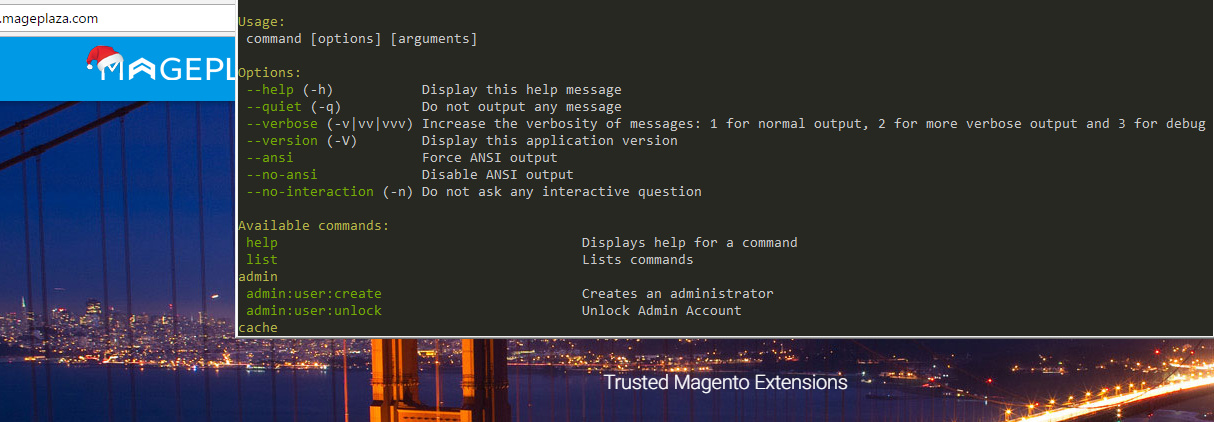
可以在截图中看到相同的内容
### 命令行的类别
可以将命令列表中的命令分成以下类别:
- 缓存
- 索引
- 计划任务
- 代码编译器
- 设置 Magento 模式
- 翻译
- 运行单元测试
- 维护
- 模块管理
- 安装程序:安装、升级、卸载、备份、回滚
- 主题
- 部署
接下来,每个分类会举例说明:
### 缓存类的命令
### 如何检查缓存的状态
```auto
php bin/magento cache:status
```
结果:
```auto
config: 1
layout: 1
block_html: 1
collections: 1
db_ddl: 1
eav: 1
full_page: 1
translate: 1
config_integration: 1
config_integration_api: 1
config_webservice: 1
```
### 如何清除缓存
```auto
php bin/magento cache:clean
```
结果:
```auto
$ php bin/magento cache:clean
Cleaned cache types:
config
layout
block_html
collections
reflection
db_ddl
eav
customer_notification
full_page
config_integration
config_integration_api
translate
config_webservice
```
### 如何刷新缓存
```auto
php bin/magento cache:flush
```
### 如何启用,禁用缓存
```auto
php bin/magento cache:enable php bin/magento cache:disable
```
高级指令:
```auto
magento cache:enable [type] ... [type] magento cache:disable [type] ... [type]
```
禁用整页缓存:
```auto
magento cache:disable full_page
```
### 索引类命令
使用一下命令检查索引状态
```auto
php bin/magento indexer:info
```
结果:
```auto
design_config_grid Design Config Grid
customer_grid Customer Grid
catalog_category_product Category Products
catalog_product_category Product Categories
catalog_product_price Product Price
catalog_product_attribute Product EAV
catalogsearch_fulltext Catalog Search
cataloginventory_stock Stock
catalogrule_rule Catalog Rule Product
catalogrule_product Catalog Product Rule
```
### 如何重建索引数据
```auto
php bin/magento indexer:reindex
```
### 如何将索引器状态重置为无效
```auto
php bin/magento indexer:reset
```
### 如何显示索引模式
```auto
php bin/magento indexer:show-mode
```
### 部署类的命令
命令语法
```auto
php bin/magento setup:static-content:deploy ... [--dry-run]
```
### 如何部署静态内容
```auto
php bin/magento setup:static-content:deploy
```
输出结果如下:
```auto
$ php bin/magento setup:static-content:deploy Requested languages: en_US === frontend -> Magento/blank -> en_US === ........................................................................................................................................................................................................................................................................................................................................................................................................................................................................................................................................................
```
默认情况下,部署静态文件的默认语言为:en\_EN
如果你想在部署静态内容时使用其他语言,例如:pt\_BR
执行:
```auto
php bin/magento setup:static-content:deploy pt_BR
```
结果为:
```auto
Requested languages: pt_BR === frontend -> Magento/luma -> pt_BR === ... progress indicator ... Successful: 1613 files; errors: 0 === frontend -> Magento/blank -> pt_BR === ... progress indicator ... Successful: 1620 files; errors: 0 === adminhtml -> Magento/backend -> pt_BR === ... progress indicator ... Successful: 1626 files; errors: 0 === Minify templates === ... progress indicator ... Successful: 858 files modified ---
```
结果"
```auto
$ php bin/magento indexer:show-mode
Design Config Grid: Update on Save
Customer Grid: Update on Save
Category Products: Update on Save
Product Categories: Update on Save
Product Price: Update on Save
Product EAV: Update on Save
Catalog Search: Update on Save
Stock: Update on Save
Catalog Rule Product: Update on Save
Catalog Product Rule: Update on Save
```
### 如何设置索引模式类型
```auto
php bin/magento indexer:set-mode {realtime|schedule} [indexer]
```
例如:
```auto
magento indexer:set-mode schedule catalog_category_product catalog_product_cat
```
### 如何通过命令获取管理路径
你知道吗?你可以在不访问 etc/env.php 文件的情况下获取管理路径
执行:
```auto
php bin/magento info:adminuri
```
结果:
```auto
$ php bin/magento info:adminuri Admin URI: /admin
```
所以路径是 /admin,在浏览器中访问 [domain.com/admin](http://domain.com/admin) 进入到 Magento 后端页面。
### 如何通过命令行启用维护模式
启用维护模式
```auto
php bin/magento maintenance:enable
```
结果
```auto
$ php bin/magento maintenance:enable Enabled maintenance mode
```
禁用维护模式
```auto
php bin/magento maintenance:disable
```
允许IP访问商店
设置允许访问的ip
```auto
php bin/magento maintenance:allow-ips
```
例如:
```auto
php bin/magento maintenance:allow-ips 168.168.168.168 Set exempt IP-addresses: 168.168.168.168
```
### 如何设置 Magento 的开发者模式和生产模式
显示当前 Magento 2 模式
```auto
php bin/magento deploy:mode:show
```
结果:
```auto
$ php bin/magento deploy:mode:show Current application mode: default. (Note: Environment variables may override this value.)
```
现在是默认模式,让我们将模式转换为开发者模式
```auto
php bin/magento deploy:mode:set developer
```
结果:
```auto
$ php bin/magento deploy:mode:set developer Enabled developer mode.
```
## 本教程翻译自Mageplaza模块开发系列,其他内容请点击下面链接:
> [@Magento2模块开发中文教程索引](https://forum.magentochina.org/t/magento2%E6%A8%A1%E5%9D%97%E5%BC%80%E5%8F%91%E4%B8%AD%E6%96%87%E6%95%99%E7%A8%8B%E7%B4%A2%E5%BC%95/36):
>
> 本文翻译自mageplaza的Magento2模块开发教程,而且正在翻译中. 翻译也是非常好的学习方式,希望下列表中还有我们没有翻译,而你又想分享的内容,请发表文章之后,在下面附上地址。 如果觉得本站翻译得内容对您有帮助,又没有时间帮助翻译回馈社区.请打赏我们,您的支持是我们的动力: 转载说明:非常欢迎转载,但是必须保证文章的完整性并附上原文地址和翻译原文的地址,保证阅读者不会产生歧义. 目录索引: 索 引 中 文 原 文 1 [Magento2如何创建模块](https://forum.magentochina.org/t/Magento-2%E5%A6%82%E4%BD%95%E5%88%9B%E5%BB%BA%E6%A8%A1%E5%9D%97%E6%95%99%E7%A8%8B/38)[How to Create Module in Magento 2](https://www.mageplaza.com/kb/how-create-hello-world-module-magento-2.html) 2 [控制器详解](https://forum.magentochina.org/t/Magento-2%E6%8E%A7%E5%88%B6%E5%99%A8%E8%AF%A6%E8%A7%A3%E6%95%99%E7%A8%8B/39)[Create Controllers](https://www.mageplaza.com/magento-2-module-development/how-to-create-controllers-magento-2.html) 3 [CRUD 模型](https://forum.magentochina.org/t/Magento2-CRUD%E6%A8%A1%E5%9E%8B%E8%B5%84%E6%BA%90%E9%9B%86%E5%90%88%E5%B7%A5%E5%8E%82%E5%AF%B9%E8%B1%A1%E8%AF%A6%E8%A7%A3%E6%95%99%E7%A8%8B/43)[CRUD Models](https://www.mageplaza.com/magento-2-module-development/how-to-create-crud-model-magento-2.html) 4 [视图层:块,布局和模板](https://forum.magentochina.org/t/%E8%A7%86%E5%9B%BE%E5%B1%82%E5%9D%97%E5%B8%83%E5%B1%80%E5%92%8C%E6%A8%A1%E6%9D%BF%E6%A8%A1%E6%9D%BF%E6%95%99%E7%A8%8B/50/1)[View: Block, Layouts and templates](https://www.mageplaza.com/magento-2-module-development/view-block-layout-template-magento-2.html) 5 [配置system.xml](https://forum.magentochina.org/t/%E5%A6%82%E4%BD%95%E5%88%9B%E5%BB%BA%E7%B3%BB%E7%BB%9F%E9%85%8D%E7%BD%AE%E6%96%87%E4%BB%B6systemxml/55)[Configuration - System.xm…](https://www.mageplaza.com/magento-2-module-development/create-system-xml-configuration-magento-2.html)